How Split PDFs Improve Document Management in Professional Workflows?
Mon, 17 August 2026
Inspirational journeys
Follow the stories of academics and their research expeditions
Educational visuals are more than supplemental materials for a lesson plan, as they depend upon scale for proper meaning conveyance. Charts in biology, procedural diagrams in clinics, geographical maps, and timeline charts in history are constantly being enlarged for educational presentations and private study. When educational visuals do not work properly when enlarged, educational learning becomes undermined.
This is where new AI image enlarger alters the entire educational experience for instructors. Through this, images can now be enlarged within the new scale parameters of 1.5, 2, or 3 times of original scale boundaries. When a text prompt for creative boundary creation is added, Dreamina enables educational visuals to enlarge with proper meaning.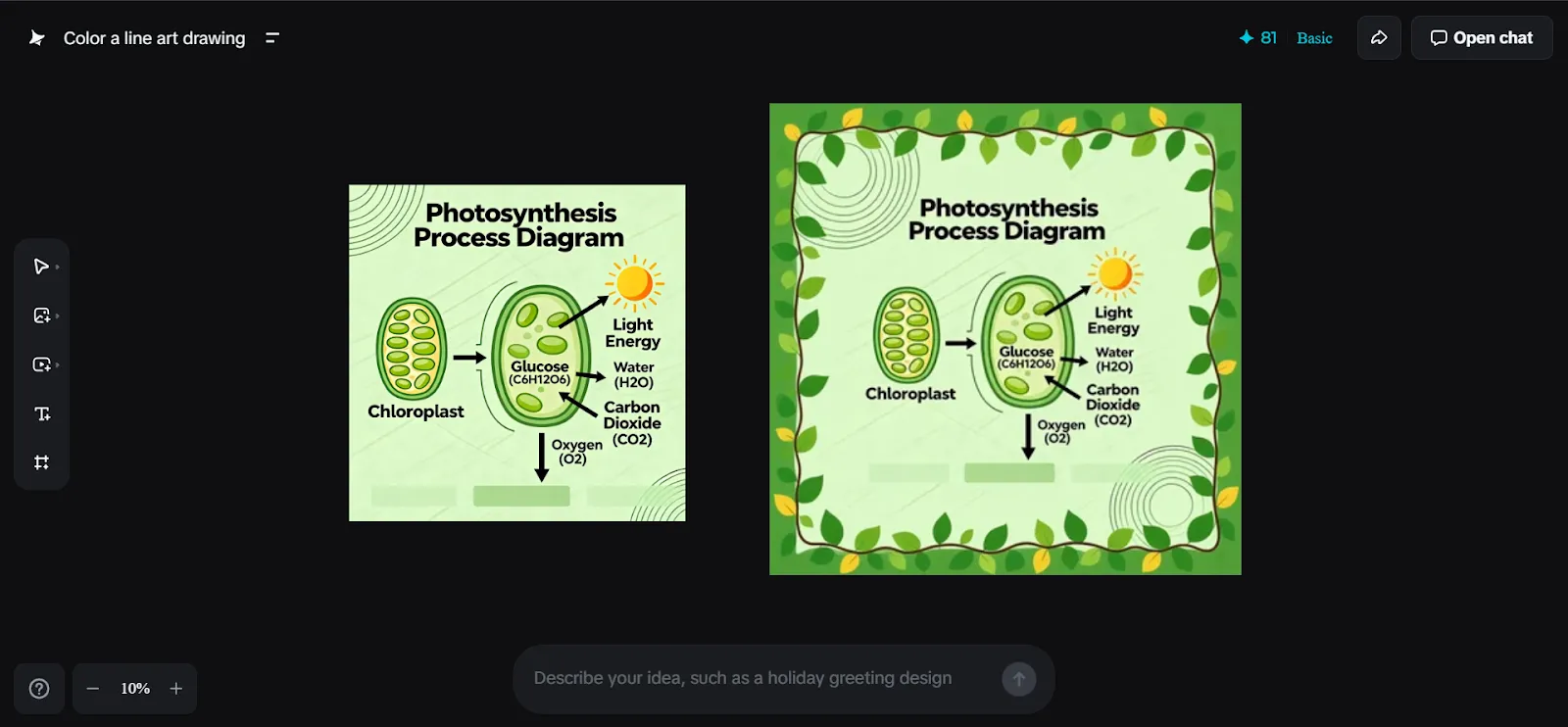
Many educational diagrams begin scaled down. They are scanned from textbooks, exported from PowerPoint presentations, or captured from notes. Enlarging them conventionally makes them pixelated: text becomes illegible, details of arrows become fuzzy, and meaning becomes obscure.
The use of an AI-powered image upscaler alters this scale dynamic. Rather than pixelation, it refines incomplete details by allowing the diagrams to be enlarged without becoming illegible. This is particularly relevant for:
With clear sight, learning remains on track.
The bigger visual enables the educator to teach progressively. The bigger visual enables the educator to make use of the diagrams progressively.
An enlarged image allows a teacher to show students from overview to detail without changing any slide or resource. A diagram here becomes a full teaching surface instead of a fixed point of reference.
This strategy also benefits a host of other students, those who require a clearer visual understanding, who can be aided by scale and spacing.
Often, educational graphics go wrong not in content, but in overcrowding. By magnifying diagrams, there will be room to reorganize information in an orderly fashion.
Teaching staff commonly resort to expanded visuals to:
The effect is a diagram that teaches rather than bewilders.
Today's classwork goes mobile through phones, tablets, projectors, or when printed out. A blown-up image in hi-res means that whatever is being taught
When using educational AIs for enlargement, educators can certainly reuse this diagram for:
Because of this visual consistency, students are accustomed to it.
Once such a diagram is developed and enhanced, some teachers go further to develop it by creating videos from Dreamina’s text to video generator with text from Dreamina to explain. With an enhanced image and a text explanation of how to describe it, teachers are able to produce perfect learning videos to teach students step by step.
The pattern centers solely on producing video from texts and concept images, and nothing concerning animations or loops. Thus, it enables lecturers to analyze an explanation for lessons before lecturing.
In education, visual distortions are a common issue. Responsibly, using AI enlargement maintains proportions while not modifying them.
If a diagram is a representation that remains accurate to its original intent, a student can trust a visual. Trust is necessary, especially in areas such as science, medical studies, or mathematics, where accuracy is critical.
Dreamina removes the complexity of image enlargement for educational purposes, especially for those teachers who are not designers by trade. The process integrates easily with existing workflows for creating educational material
Log in to your Dreamina account, go to the left corner of the page, and click on Canvas to enlarge your picture using an AI enlarger. Click on Upload image from the new page to upload your educational image or visual that you want to enlarge.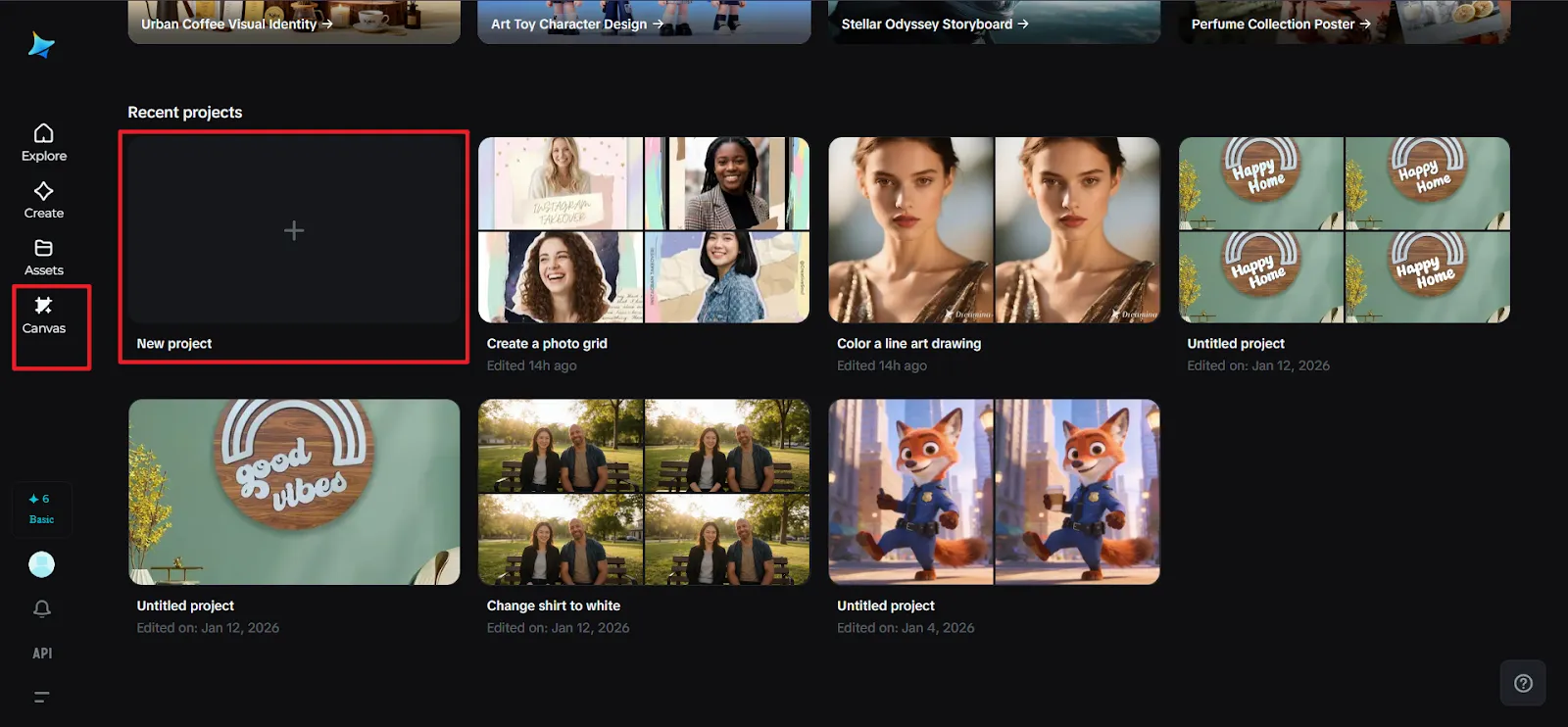
Once the image is uploaded, from the toolkit above the image, select the Expand. That will open options to select an appropriate enlargement size, such as 1.5x, 2x, or 3x, along with options for a different Aspect ratio if your teaching demands so. Alternatively, you can also describe, below the image, the way you need the image expanded. If it is to your requirements, click on Expand, located just below the image.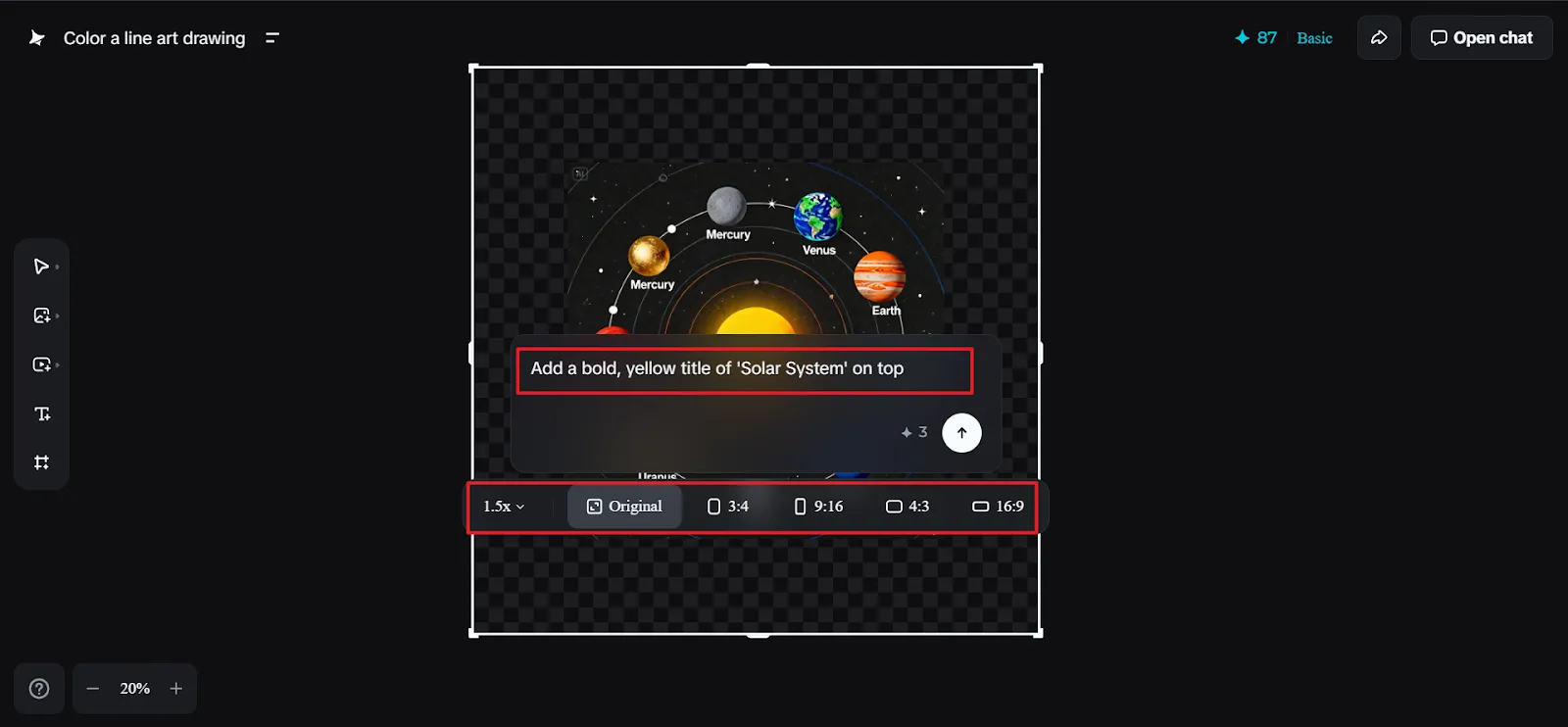
Once you are satisfied with the expansion, use AI-enhance tools like Inpaint to add labels or icons, or Remove to take out distractions. When ready to save your final visual, click on Export, then choose your preferred file type and select This on canvas under the Export option, and then click on Download.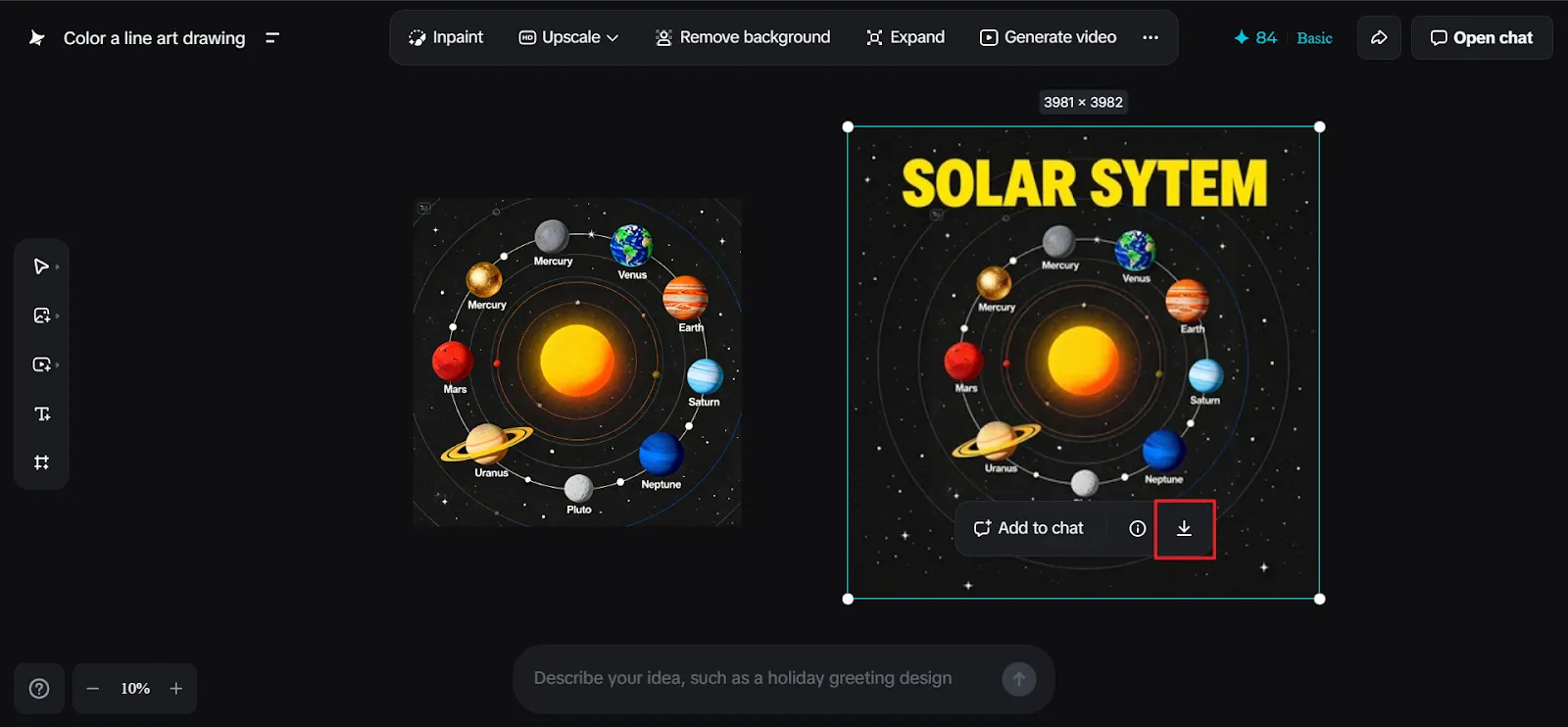
Apart from the classroom and lecture room settings, the expanded visual images in education also promote self-paced learning and reviewing. Learners studying complicated subjects rely on screen shots and images; therefore, clarity and sharpness matter in enlarging images toward improved understanding.
Since enlarged images can be zoomed in for micro-details and learners can also highlight and go back to reviewed images without straining their minds, such approaches assist learners who understand through images and spatial perception rather than text. By focusing on the scale and clarity of images in an enlarged form, educators promote inclusivity without directly focusing on the issue.
Learning depends on clarity. With clear visibility of details, students ask more pertinent questions, draw better linkages, and recall facts longer. Exaggerated diagrams not only enlarge pictures but also enlarge understanding.
Through Dreamina, educators are given the autonomy to handle information presentation, extension, and explanation. When images develop in a well-considered way, so does learning.

Mon, 17 August 2026
Fri, 14 August 2026

Fri, 31 July 2026

Thu, 30 July 2026
Wed, 29 July 2026

Wed, 29 July 2026
Thu, 23 May 2024

Tue, 04 March 2025

Thu, 29 May 2025


© 2026 Sprintzeal Americas Inc. - All Rights Reserved.

 USA : +1315-322-7821
 UK : +44 7700 174870
 IND : +919036108287
 AUS : +61 480 005 455