The Strategic Role of GTM Engineering in Modern SaaS Growth
Tue, 27 October 2026

Inspirational journeys
Follow the stories of academics and their research expeditions
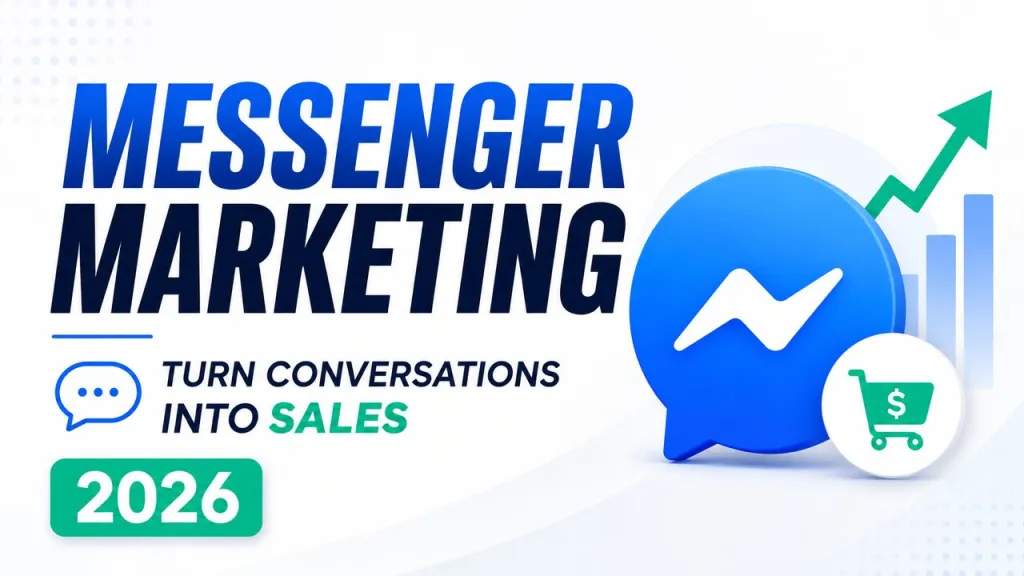
Back in 2017, HubSpot ran a simple test: it sent the same content by email and through a messaging app. The message got an 80% open rate in the app versus 33% by email. Email deliverability has only gotten harder since then. Meanwhile, the people who message your Facebook page are already mid-conversation with you, which is a better starting point than any inbox.
Back in 2017, HubSpot ran a simple test: it sent the same content by email and through a messaging app. The message got an 80% open rate in the app versus 33% by email. Email deliverability has only gotten harder since then. Meanwhile, the people who message your Facebook page are already mid-conversation with you, which is a better starting point than any inbox.
This guide covers what Facebook Messenger marketing actually involves, five ways businesses use it to drive sales, when manual replies stop being enough, and how to set up a chatbot without writing code.
Facebook Messenger marketing means using the chat channel attached to your Facebook business page to answer questions, capture leads, recover abandoned sales, and send follow-ups. It treats Messenger as a sales and support channel in its own right, not as a place where comments go to die.
The channel has one property email can't match: immediacy. When someone messages your page, they expect an answer in minutes, not the next business day. If they get one, the conversation often ends in a purchase. If they don't, they message your competitor, whose page is one tap away.
A kitchen renovation company gets a message: "How much for a 12 square meter kitchen?" Instead of replying "it depends" and losing the thread, the chat asks three questions: location, budget range, timeline. By the time a salesperson picks it up, they know whether this is a serious lead worth a same-day call or a browser to nurture. The lead never filled in a form, and never had to.
A skincare shop gets the same opening message twenty times a week: "What should I use for oily skin?" A short guided conversation (skin type, main concern, budget) narrows the catalog to two or three products with links. That mirrors what a good in-store assistant does. Shoppers who can't decide usually don't buy at all, so removing the decision friction is the sale.
If a shopper started the checkout conversation in Messenger and asked about shipping, then went quiet, a follow-up an hour later ("Still thinking it over? Shipping to Portland is $4.90 and takes 2 days") often closes the sale. One caveat, covered in point 5: this only works inside Meta's messaging window. You can't cold-blast old carts weeks later.
"Where is my order?" is the single most common message most ecommerce pages receive. A store getting 40 of these a day is paying someone to copy-paste tracking links. These questions have exact, boring, correct answers, which makes them perfect for automation and terrible use of a human's shift.
This is where most articles get it wrong, so here it is precisely. Meta enforces a 24-hour standard messaging window, described in its Messenger Platform policy for developers: after a person's last message to your page, you have 24 hours in which you can send anything, promotions included. Outside that window, you may only send messages using Meta's predefined message tags (post-purchase updates, confirmed event reminders, account updates, or a human agent follow-up), and those messages must be non-promotional. A "20% off this weekend" blast to everyone who messaged you last month violates policy and can get your page's messaging restricted. The compliant version of re-engagement is running a promotion that invites people to message you first, which opens a fresh window.
Manual replies are fine, and for some businesses they stay fine. If you get five messages a day and one person owns the inbox, don't build anything. A named human answering within the hour beats a mediocre bot every time.
The math changes at three specific points:
Facebook does offer native automation: away messages and keyword-triggered auto replies, configured in Meta Business Suite. They're free and worth switching on. They're also shallow. An auto reply matches a keyword and fires a canned response. It has no memory of the conversation, can't ask a clarifying question, and has no way to hand a confused customer to a person. Auto replies are fine until the first follow-up question. Then they fall apart.
A proper chatbot holds context across the conversation, pulls answers from your actual content, and escalates to a human when it's out of its depth. That last part is not optional, as we'll get to.
Write down what the bot should resolve on its own. For a typical online store: order status, shipping and returns questions, product recommendations, and lead capture for anything custom. Everything outside that list goes to a human. A bot with a narrow job description outperforms one that tries to answer everything.
You don't need a developer for this anymore. A no-code chatbot for Facebook Messenger like ChatBot.com connects to your page in a few clicks, trains its AI on your own website and help content rather than generic answers, and includes human handoff out of the box, which covers steps 3 through 5 below in one tool. Whatever platform you pick, check for those three things: native Facebook page connection, training on your own content, and a built-in path to a live agent.
This is an OAuth-style authorization: you log in with the account that admins the page and grant messaging permissions. You need admin access to the page, not just editor rights. The connection takes minutes; the common snag is discovering nobody at the company remembers who the page admin is.
Point the bot at your FAQ page, shipping and returns policies, help docs, and product pages. Then read what it says back. If your returns policy page is vague, the bot's answers about returns will be vague too. Most "bad bot" problems are actually bad source content problems.
Decide exactly when a conversation transfers to a person: when the customer asks for one, when the bot fails to answer twice in a row, and always for complaints and refund disputes. Route those to a real inbox that someone actually monitors, and say who monitors it on weekends.
Pull 20 to 30 actual messages from your page's history and run them through the bot. Not the questions you'd like to receive, the ones you did receive, typos and all. Fix what breaks, then launch quietly and review transcripts for the first two weeks.
No path to a human. The fastest way to make a customer furious is to trap them in a loop with a bot that can't help and won't get out of the way. If you build one thing carefully, build the handoff.
Bulk-messaging people outside the 24-hour window. Covered above, and worth repeating because it's the mistake that gets pages restricted. Message tags are for order updates and similar notifications, not for smuggling promotions past Meta's policy.
A bot that pretends to be human. Customers figure it out within two messages, and then they distrust everything the bot said before. Name it, or at least don't have it claim to be "Sarah from support." Honesty costs nothing here.
Setting it live and never reading transcripts. The transcripts are a list of questions your customers asked and the exact words they used. Review them monthly. They will tell you what to add to the bot, and often what to fix on the website itself.
Partly. Messenger itself, Meta Business Suite, and native auto replies cost nothing. You pay when you add a third-party chatbot platform like ChatBot.com, where paid plans start at $19 per user per month, or when you run click-to-Messenger ads. Many businesses start free with manual replies and pay only once volume justifies automation.
No. Current chatbot platforms are no-code: you connect your Facebook page through a standard login flow, then build conversations in a visual editor or train an AI on your existing website content. Coding is only relevant for custom integrations, such as connecting the bot to an internal order database.
Yes, and that's one of the strongest reasons to use one. A chatbot answers at 2 a.m. exactly as it does at 2 p.m., so questions from night owls and other time zones get resolved instead of expiring in the queue. Conversations it can't finish are held for a human the next morning.
An auto reply is a single canned message triggered by a keyword or by business hours, with no memory or follow-up. A chatbot holds a multi-step conversation, remembers context, draws answers from your content, and can transfer to a human. Auto replies acknowledge messages; a chatbot actually resolves them.

Tue, 27 October 2026
Thu, 17 September 2026
Tue, 15 September 2026
Fri, 04 September 2026
Wed, 26 August 2026
Mon, 24 August 2026
Tue, 18 August 2026
Tue, 11 August 2026
Mon, 27 July 2026

© 2026 Sprintzeal Americas Inc. - All Rights Reserved.

 USA : +1315-322-7821
 UK : +44 7700 174870
 IND : +919036108287
 AUS : +61 480 005 455