The Strategic Role of GTM Engineering in Modern SaaS Growth
Tue, 27 October 2026

Inspirational journeys
Follow the stories of academics and their research expeditions
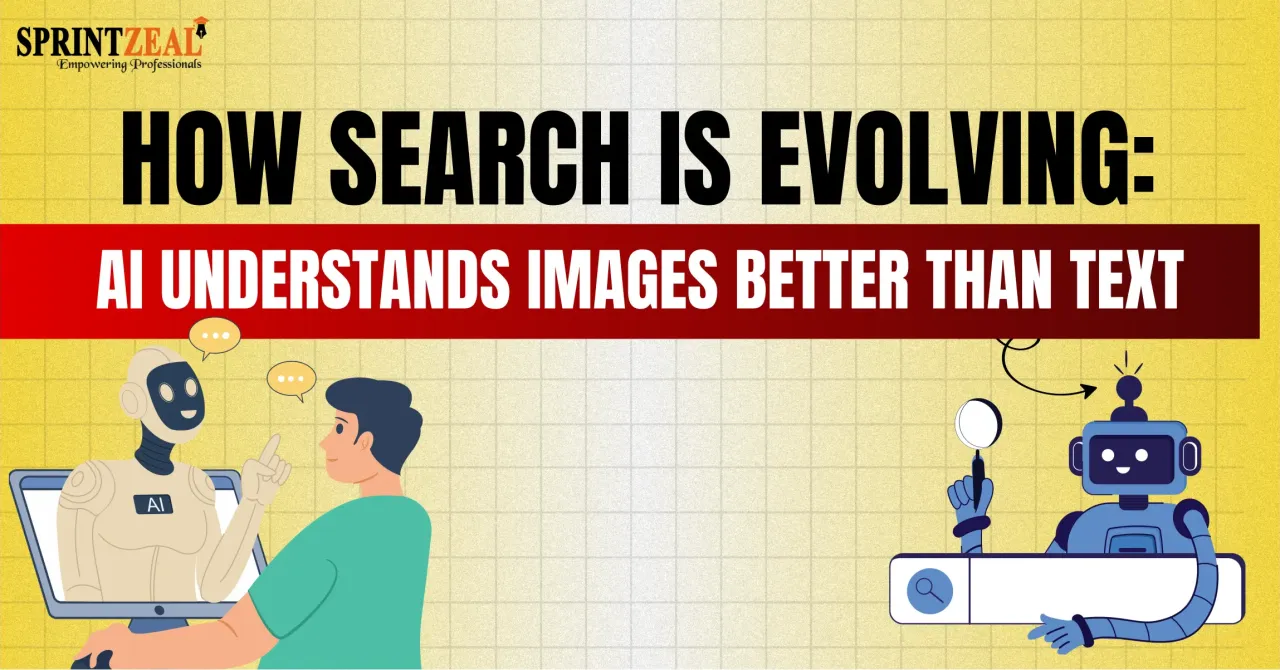
You are sitting in a cafe, and you like the chair you are sitting on. The curve of the back is exactly right, and you want one at home. So you pull out your phone to search for it, and that is where the whole thing stalls, because you have no idea what to type.
A query like "wooden chair with curved back" returns a million results, and not one of them is the chair in front of you. You know exactly what you want, but you cannot put a name to it, and a search box only accepts names.
That gap is the reason search is changing. Typed queries work well for questions, but they fall apart when what you have is a thing. A photo carries shape, proportion, texture and finish at once, and no typed sentence delivers that much detail as quickly.
So search is split in two, because you type when you want an answer and point your camera when you want a match.
Text search matches strings of characters, while image search matches visual patterns, and that difference decides which of your products a customer can find. Shoppers rarely know the industry term for what they want, so they type something approximate and give up.
A photograph is only a grid of pixels, and the computer has no built-in idea of what a chair is. So it converts the picture into something comparable, which is a compact set of numbers describing the content rather than the pixels.
Early systems built that description by hand, measuring color histograms, detecting keypoints with algorithms such as SIFT, and generating perceptual hashes. Those methods still work well on near-duplicate images, which is why reverse image search catches reused photos.
The trouble is that hand-built features turn brittle as soon as they meet real photographs. Change the lighting and the histogram shifts, while rotating the object moves the keypoints, so a product that is similar but not identical drops out of the results.
Modern pipelines replace those hand-built rules with learned ones, and a typical flow runs in five stages:
The second stage matters more than most teams expect, because one photograph usually holds several objects. A living room shot might contain a sofa, a rug, a lamp and a plant, so a good system lets the customer tap the item they mean.
Duplicate detection and similarity search are different jobs that call for different tooling. Hashing answers whether this is the same image, while embeddings answer the looser question of what else looks like this. This guide on Image Search Techniques maps out where each approach earns its place.
Several of these systems are already part of everyday life, from Google Lens and Pinterest Lens to the plant identification apps that share the same matching logic.
Everything described above depends on one idea, and that idea is the embedding. An embedding is a list of numbers, often a few hundred to a thousand of them, representing the meaning of an image rather than its pixels.
It helps to picture a map with far more than two directions, where every image occupies one point. Images that look alike end up close together, so a red sneaker sits beside a blue one because everything apart from the color is shared.
Search then becomes a geometry problem rather than a text problem. You place the customer's photo on that map and return the nearest points, and most systems measure that nearness with cosine similarity, which compares direction rather than size.
Nobody writes rules describing what a chair is, because the model works that out from examples. The training method that changed the field is contrastive learning, used by models such as OpenAI's CLIP.
The underlying idea is simple, even though the training itself is anything but. The model sees pairs that belong together alongside pairs that do not, and it slowly pulls matching pairs closer while pushing mismatched ones apart. Repeat that across hundreds of millions of pairs, and the map organizes itself.
Because CLIP-style models train on images paired with captions, pictures and text end up sharing the same map, which is what makes mixed queries possible. A customer can show a photo of a jacket and add "in green, under eighty dollars", and both halves land in the same space.
Learned embeddings also cope with the mess of real photographs far better than hand-built features:
That last point is the one retailers underrate, because shoppers rarely want the exact item they photographed. They are really asking for the closest thing you stock.
Comparing a query against ten million vectors one at a time would be far too slow for a product page. So systems rely on approximate nearest neighbor search, with index structures such as HNSW and IVF doing the heavy lifting.
These indexes narrow the search to a promising region before anything is ranked, which is why results feel instant on a large catalog. The trade-off is recall, because you accept a small chance of missing a match in return for speed.
A second pass usually follows, applying filters for stock, size, region and price before the survivors are re-ranked. For a closer look at that matching layer, this explainer on how does ai visual search work goes deeper.
Suppose a customer photographs a jacket on the street, and you want them to find the closest match in your catalog within two taps. There are two realistic paths, since you can either build the system yourself or plug an existing one in.
Building in house is an engineering programme rather than a sprint, and at minimum it calls for:
That adds up to months of work plus a running cost that never stops. It makes sense when visual search is the product itself, but for most teams the maths simply does not hold up.
The alternative is an API, where you send an image and receive ranked matches from your own catalog. The models, the GPUs and the index all sit on somebody else's infrastructure, in much the same way that online payments do.
A typical integration runs through four steps:
Most teams get a working version live in days rather than quarters. If you are shortlisting providers, a best API search company's homepage is a sensible place to begin, since the integration path is spelled out there.
Every demo runs on a catalog chosen to make it look flawless, so your own products are the only honest test. Ask for a trial index built from a few thousand of your images, then measure the following:
|
What to check |
Why it matters |
|
Accuracy on your catalog |
Measure recall@5 and recall@10 on a labeled test set, since results on sneakers say nothing about spare parts |
|
Latency at peak |
Set a budget, commonly under 500 milliseconds end to end, and test it at peak concurrency |
|
Pricing model |
Per call, per indexed image or flat, so model your busiest month rather than the average |
|
Index freshness |
Nightly rebuilds suit furniture but not fast fashion, so ask whether updates are incremental |
|
Data handling |
Photos carry faces and locations, so confirm retention, storage region and shared-model training |
|
Filtering and re-ranking |
Visual similarity surfaces out-of-stock items unless business rules run after the match |
|
No-match behavior |
An empty page loses the sale, whereas a labeled list of near matches often rescues it |
Here is how it plays out in practice. A furniture retailer adds a camera button to its search bar, and a shopper photographs a side table in a hotel lobby. The site returns six close matches in under a second, and she buys one without ever learning the phrase "nesting table".
None of this is limited to fashion, since it earns its place anywhere the catalog is visual and the vocabulary is hard:
The search bar is not disappearing, but it is getting company. Cameras are becoming an ordinary way to ask a question, whether the subject is a plant, a broken part or a sign you cannot read.
Text and images are also collapsing into a single query, so a request like "like this, but cheaper" will soon feel ordinary. AI assistants will lean on the same infrastructure, taking a photo from the user and browsing on their behalf.
One consequence deserves more attention than it gets, which is that product photography now affects discoverability. Clean shots from several angles give these models something solid to match against, whereas a dim hero image leaves them little.
For businesses the conclusion is straightforward, because customers already search with their cameras. The only open question is whether that search happens on your site or somebody else's.

Tue, 27 October 2026
Thu, 17 September 2026

Tue, 15 September 2026
Fri, 04 September 2026

Wed, 26 August 2026

Mon, 24 August 2026

Tue, 18 August 2026

Tue, 11 August 2026

Mon, 27 July 2026


© 2026 Sprintzeal Americas Inc. - All Rights Reserved.


 USA : +1315-322-7821
 UK : +44 7700 174870
 IND : +919036108287
 AUS : +61 480 005 455