How to Choose the Right Laptop for Learning Technical Skills
Tue, 01 September 2026

Inspirational journeys
Follow the stories of academics and their research expeditions
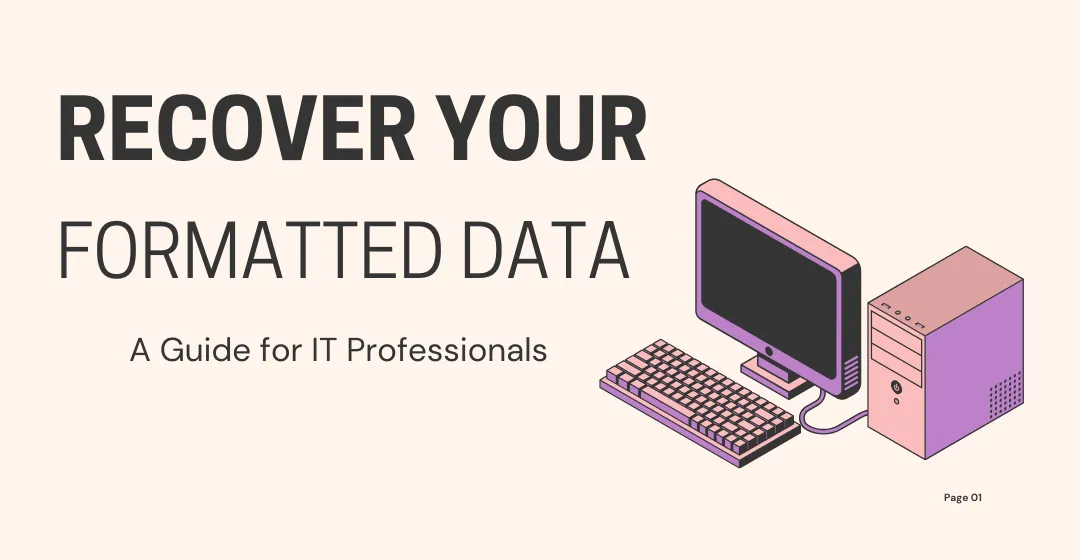
Accidental data destruction is not only a possibility, but a reality in most organizations in the rapidly digital infrastructure world. Whether it is incorrectly formatted data on the hard drive or an essential file deleted by mistake, it can be disastrous. Data loss paralyzes an operation and may compromise security, delay a project, and even undermine compliance requirements.
Being a source of reliable training and insights for IT professionals, Sprintzeal fully understands the necessity of safe and efficient data recovery plans. This tutorial has been created to guide you on how to recover your hard drive when it has been corrupted through accidental repair or damage through formatting or deletion, what can be done about it and the best measures to take to ensure that you do it and in a secure manner and why professional assistance is in many case your best choice.
Human error. The system crashes and corrupts the data found in the hard drives, and the loss is accidental and usually of two main types:
This can be referred to as data being overwritten, destroyed, or hidden without physically destroying the drive. The common causes are:
- Accidental deletion
- Backups-less formatting
- Corruption of a file system
- Error in the Partition table
- Trojan viruses or ransom attacks
In this case, the physical damage to the storage device (e.g., water, heat, or shock) permanently makes the storage device unoperable. Although the present paper is concerned with formatting/deletion that may happen accidentally, it is essential to mention that physical damage may necessitate remarkable cleanroom recovery.
It is natural to panic when files disappear due to human error, yet your moves are vital in the initial few minutes.
- Do not use the drive anymore: Subsequent use will overwrite the deleted data sector.
- Safely disconnect the drive: Removal of the device is a simple precaution to ensure that no other operations will impact the equipment.
- DIY software should be avoided: Although using such random recovery software is tempting, a complete data retrieval will likely be compromised, particularly for higher forms of data like business enterprise files.
Such preliminary judgments may mean the distinction between the loss of data entirely and a successful recovery of information.
Software such as Recuva or EaseUS can be helpful for home users or non-essential files. They search the hard disk drive, save whatever can be retrieved, and repair it. But in the following few scenarios, their effectiveness decreases quite a lot:
Formatted drives (Quick format in particular)
Extensive file systems (e.g., RAID arrangements, NTFS plains, or exFAT arrangements)
In cases when the files have been overwritten or encrypted
To the IT specialists, reconstruction of file tables can be done through command-line tools or even scripts. However, it is labor-intensive and sometimes does not produce many results.
The most secure and sensible way that a business or Institution will trust most is to trust a professional recovery service company. Such experts have used superior equipment and clean-room premises to extract the data without causing further harm to it.
In the case of IT teams and in an industry such as the financial or healthcare sector, where data protection is highly regulated, by relying on the services of tamper-evident and certified data recovery labs, there is:
- Data integrity: The files can be recovered unaltered or otherwise.
- Confidentiality: At the top of credible providers is their highly confidential and data security.
- Compliance: SOC 2, ISO, and GDPR must also be met in sensitive data usage.
- Cleanroom facilities: They are needed in the event of any physical damage to the drive or when it deals with complex RAID arrays.
Concisely, professional data recovery can meet enterprise-level standards and minimize the liability risk of an internal crew.
IT professionals and project managers are usually pressed into limited time constraints and security conditions. One incident of data loss may:
- Derail deliverables
- Violating the SLA agreements
- Due to legal or financial penalty
That is why data recovery specialists with scalable, secure, and fast data recovery are used by professional teams who may have experience with such data. These suppliers can restart business within a short time and secure business endurance.
As an illustration, in the case of certification training roll-outs or platform roll-outs, up to date, the wrong move to format a drive would delete hundreds of entries. Using an outsider recovery expert is easier in these situations, as it is time-saving and cost-effective.
What is the right data recovery provider in a world of dozens of choices?
Key Criteria:
- Success record Proven
- Clear prices and rating
- No-recovery, no-fee policies
- Security compliance (ISO, SOC compliant and HIPAA compliant)
- The 24 hrs/7 days emergency recovery services
- Backup of any type of storage (HDD, SSD, RAID and encrypted drives)
Many IT teams rely on professionals for hard drive recovery after accidental formatting or deletion to ensure minimal downtime and maximum data retention. An example would be the asset recovery business mentioned (SalvageData) where certified recovery exists with decades of experience and a successful 80-85 percent recovery rate in all industries.
No recovery service is enough even to retrieve data that has been overwritten- and that is why prevention remains your best shield.
Best Practices:
- Backup scheduling: use hybrid and automate (cloud and local).
- Enforce access control: Limit the privileges of formats and deleting permissions that should be given to the authorized individuals.
- Health monitoring of schedule drives: Programs like Crystal DiskInfo can foretell failure.
- Train teams: Teams must be constantly trained on cybersecurity and data protection issues.
- Follow the 3-2-1 of backup; copy the data 3 times, in 2 different storage media, and one off-site.
In addition, teams can enroll in certification like the CompTIA Security+, CISSP or the Data Management and Governance to have better internal controls.
Q1: Can a hard drive be formatted, yet data can be recovered?
Yes. A fast format does not always overwrite actual data. Nevertheless, immediate action and prevention of overwriting are critical to save a recovery.
Q2: Can there be free programs that will get all my deleted files back from an HDD?
You may, but in that case, free tools are not that successful and cannot be used for sensitive or business data.
Q3: What is the length of professional data recovery?
The most common one may last 5-7 days, or rush cases could even complete a task as complicated as ED in 24-72 hours.
Q 4. Can data recovery be secured with companies' or individuals' data?
Yes, but only if you select a certified provider. Engage ISO or grounded SOC-bemused labs with weighty experience managing enterprise data.
The malfunction of formatting or deleting a hard drive by mistake does not necessarily have to take a toll. Dealing with a situation like this should be approached with the aid of timely intervention, effective recovery measures, and the assistance of professional IT recovery specialists, which will enable the IT specialists to limit any disruption to their operations and help in retrieving the precious information safely.
When you are doing mission-critical recovery, do not gamble everything on untested software or a blindfold. Seek the help of a credible computer repair company such as SalvageData to recover your hard drive when it has been formatted or deleted by accident to ensure your data is safe.
Accidental data destruction is not only a possibility, but a reality in most organizations in the rapidly digital infrastructure world. Whether it is incorrectly formatted data on the hard drive or an essential file deleted by mistake, it can be disastrous. Data loss paralyzes an operation and may compromise security, delay a project, and even undermine compliance requirements.
Being a source of reliable training and insights for IT professionals, Sprintzeal fully understands the necessity of safe and efficient data recovery plans. This tutorial has been created to guide you on how to recover your hard drive when it has been corrupted through accidental repair or damage through formatting or deletion, what can be done about it and the best measures to take to ensure that you do it and in a secure manner and why professional assistance is in many case your best choice.
Human error. The system crashes and corrupts the data found in the hard drives, and the loss is accidental and usually of two main types:
This can be referred to as data being overwritten, destroyed, or hidden without physically destroying the drive. The common causes are:
- Accidental deletion
- Backups-less formatting
- Corruption of a file system
- Error in the Partition table
- Trojan viruses or ransom attacks
In this case, the physical damage to the storage device (e.g., water, heat, or shock) permanently makes the storage device unoperable. Although the present paper is concerned with formatting/deletion that may happen accidentally, it is essential to mention that physical damage may necessitate remarkable cleanroom recovery.
It is natural to panic when files disappear due to human error, yet your moves are vital in the initial few minutes.
- Do not use the drive anymore: Subsequent use will overwrite the deleted data sector.
- Safely disconnect the drive: Removal of the device is a simple precaution to ensure that no other operations will impact the equipment.
- DIY software should be avoided: Although using such random recovery software is tempting, a complete data retrieval will likely be compromised, particularly for higher forms of data like business enterprise files.
Such preliminary judgments may mean the distinction between the loss of data entirely and a successful recovery of information.
Software such as Recuva or EaseUS can be helpful for home users or non-essential files. They search the hard disk drive, save whatever can be retrieved, and repair it. But in the following few scenarios, their effectiveness decreases quite a lot:
Formatted drives (Quick format in particular)
Extensive file systems (e.g., RAID arrangements, NTFS plains, or exFAT arrangements)
In cases when the files have been overwritten or encrypted
To the IT specialists, reconstruction of file tables can be done through command-line tools or even scripts. However, it is labor-intensive and sometimes does not produce many results.
The most secure and sensible way that a business or Institution will trust most is to trust a professional recovery service company. Such experts have used superior equipment and clean-room premises to extract the data without causing further harm to it.
In the case of IT teams and in an industry such as the financial or healthcare sector, where data protection is highly regulated, by relying on the services of tamper-evident and certified data recovery labs, there is:
- Data integrity: The files can be recovered unaltered or otherwise.
- Confidentiality: At the top of credible providers is their highly confidential and data security.
- Compliance: SOC 2, ISO, and GDPR must also be met in sensitive data usage.
- Cleanroom facilities: They are needed in the event of any physical damage to the drive or when it deals with complex RAID arrays.
Concisely, professional data recovery can meet enterprise-level standards and minimize the liability risk of an internal crew.
IT professionals and project managers are usually pressed into limited time constraints and security conditions. One incident of data loss may:
- Derail deliverables
- Violating the SLA agreements
- Due to legal or financial penalty
That is why data recovery specialists with scalable, secure, and fast data recovery are used by professional teams who may have experience with such data. These suppliers can restart business within a short time and secure business endurance.
As an illustration, in the case of certification training roll-outs or platform roll-outs, up to date, the wrong move to format a drive would delete hundreds of entries. Using an outsider recovery expert is easier in these situations, as it is time-saving and cost-effective.
What is the right data recovery provider in a world of dozens of choices?
Key Criteria:
- Success record Proven
- Clear prices and rating
- No-recovery, no-fee policies
- Security compliance (ISO, SOC compliant and HIPAA compliant)
- The 24 hrs/7 days emergency recovery services
- Backup of any type of storage (HDD, SSD, RAID and encrypted drives)
Many IT teams rely on professionals for hard drive recovery after accidental formatting or deletion to ensure minimal downtime and maximum data retention. An example would be the asset recovery business mentioned (SalvageData) where certified recovery exists with decades of experience and a successful 80-85 percent recovery rate in all industries.
No recovery service is enough even to retrieve data that has been overwritten- and that is why prevention remains your best shield.
Best Practices:
- Backup scheduling: use hybrid and automate (cloud and local).
- Enforce access control: Limit the privileges of formats and deleting permissions that should be given to the authorized individuals.
- Health monitoring of schedule drives: Programs like Crystal DiskInfo can foretell failure.
- Train teams: Teams must be constantly trained on cybersecurity and data protection issues.
- Follow the 3-2-1 of backup; copy the data 3 times, in 2 different storage media, and one off-site.
In addition, teams can enroll in certification like the CompTIA Security+, CISSP or the Data Management and Governance to have better internal controls.
The malfunction of formatting or deleting a hard drive by mistake does not necessarily have to take a toll. Dealing with a situation like this should be approached with the aid of timely intervention, effective recovery measures, and the assistance of professional IT recovery specialists, which will enable the IT specialists to limit any disruption to their operations and help in retrieving the precious information safely.
When you are doing mission-critical recovery, do not gamble everything on untested software or a blindfold. Seek the help of a credible computer repair company such as SalvageData to recover your hard drive when it has been formatted or deleted by accident to ensure your data is safe.
Q1: Can a hard drive be formatted, yet data can be recovered?
Yes. A fast format does not always overwrite actual data. Nevertheless, immediate action and prevention of overwriting are critical to save a recovery.
Q2: Can there be free programs that will get all my deleted files back from an HDD?
You may, but in that case, free tools are not that successful and cannot be used for sensitive or business data.
Q3: What is the length of professional data recovery?
The most common one may last 5-7 days, or rush cases could even complete a task as complicated as ED in 24-72 hours.
Q 4. Can data recovery be secured with companies' or individuals' data?
Yes, but only if you select a certified provider. Engage ISO or grounded SOC-bemused labs with weighty experience managing enterprise data.

Tue, 01 September 2026
Fri, 28 August 2026

Wed, 19 August 2026

Fri, 24 July 2026
Tue, 14 April 2026

Thu, 30 January 2025

Tue, 04 February 2025

Wed, 29 January 2025


© 2026 Sprintzeal Americas Inc. - All Rights Reserved.



 USA : +1315-322-7821
 UK : +44 7700 174870
 IND : +919036108287
 AUS : +61 480 005 455