When AI Amplifies a Crisis: Modern Crisis Management for the Algorithm Age
Tue, 27 October 2026

Inspirational journeys
Follow the stories of academics and their research expeditions
Claude AI is now the ultimate choice among free apps for Apple users in the US, leaving behind ChatGPT, as reported by CNBC. And talking about jobs, Investopedia research has shown that computer programming is at the most vulnerable position due to the existence of Claude AI. Want to explore more about the AI tool? Follow this blog titled “What Is Claude AI? Features, Uses & Benefits.”
AI research and technology company Anthropic developed Claude AI. Breaking down a problem into steps, verifying a theory, detecting errors, or developing software, Claude AI is an advanced Large Language Model (LLM) that performs all of these tasks.
Why is Claude AI One of A Kind?
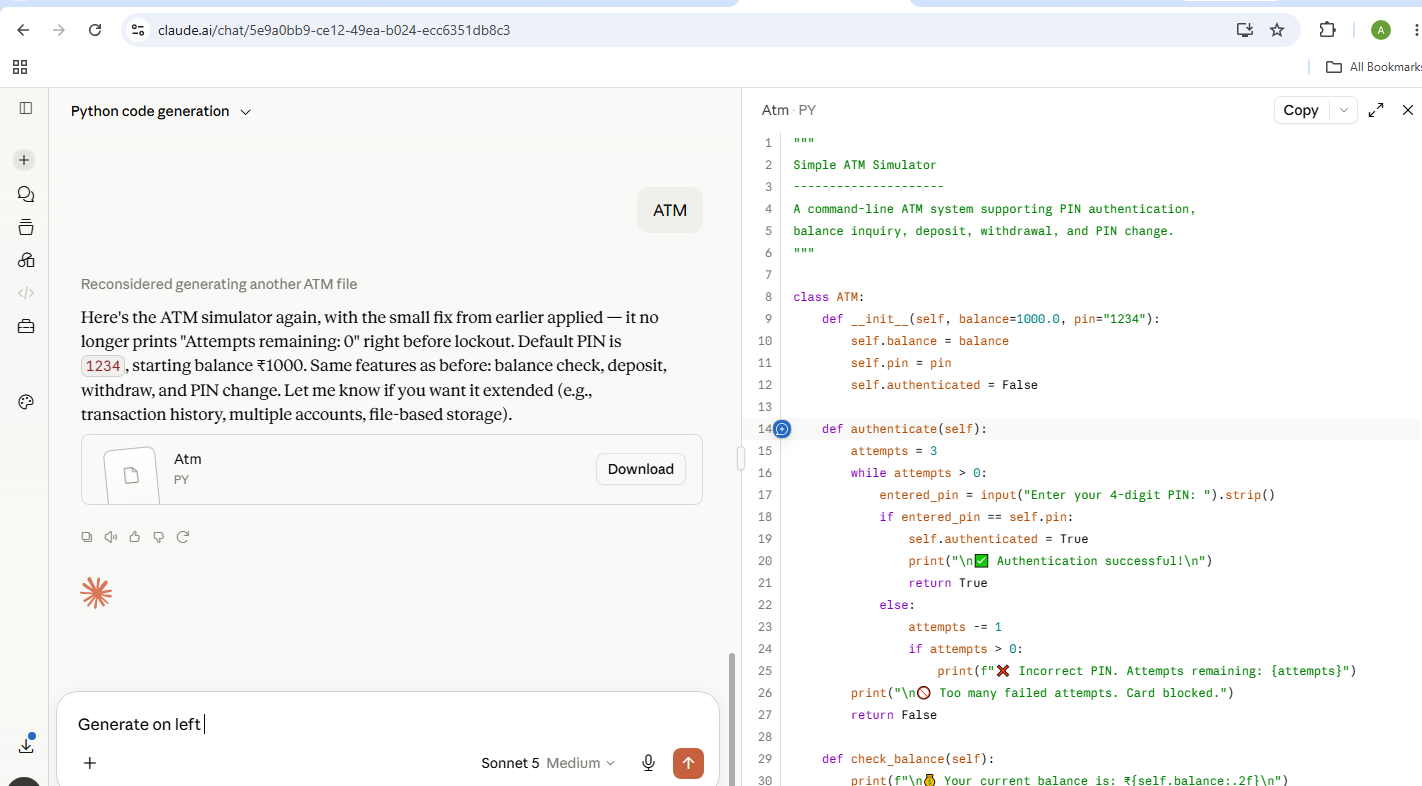
Example: When I asked Claude AI to generate a ATM stimulator Python code for me, it gave me results like this:
Pro Tip: What is Meant By Token?
To read and count the number of words in a sentence or the word itself, a token is the unit that an AI utilizes. Punctuation marks, full stops, or even spaces, or any other special characters are involved in tokenization.
Example: I Like AI.
Here are four tokens:
“I”
“Like”
“AI”
“.”
There is one more tool called Cowork, which is best suited to perform non-technical tasks. It is capable of organizing files, creating spreadsheets from the information present in documents, and putting together or summarizing the scattered notes in a file.
Claude Fable 5, Claude Opus 4.8, Claude Sonnet 5, and Claude Haiku 4.5 are the latest models in use. These models can handle a 1-million-token context window, use a range of tools to finish a task, and adjust their reasoning capabilities based on the questions that we ask.
Not only that, it can change the way it works depending on what we ask it. If you want quick answers for daily tasks, you will get a reliable output at a low cost in less time.
The usual process involves us asking AI to fix or improve the code after pasting it into the chat. After this, the AI gives us the answer, and we proceed by copy-pasting it into our project file. Users have to run the code by themselves to check if it works. Now what if the code is broken? Users have to start over.
On the other hand, when a tool like Claude Code comes into the picture, it reduces all the manual labour of running the code and copy-pasting it. This tool can access the project files located on your system; there is no need to upload the files to the chatbot.
Now Claude Code is also capable of understanding how the code and your project are related to each other. Therefore, it can edit the areas that require improvement, verify that it is working, and repeatedly improve the areas until everything looks fine. Consider it as a junior developer working alongside a team.
How Does Claude Code Work?
Consider Claude Code working as an independent AI assistant that is capable of finishing tasks by itself. Once it receives a prompt to generate code for a login module, run it, and fix any failures, all in simplified English, it performs continuously in a repeated cycle until the task is done and dusted and doesn't have any bugs.
Working Architecture: Local Client & Cloud Model
Claude Code involves both your system and the cloud in completing tasks. While the cloud is the brain that figures out what to do, your system performs the editing, installing packages, and running code.
Safety, Control, and Permissions
Claude Code can get access to your local storage and also make changes; that is the reason it includes safety features for keeping you in control.
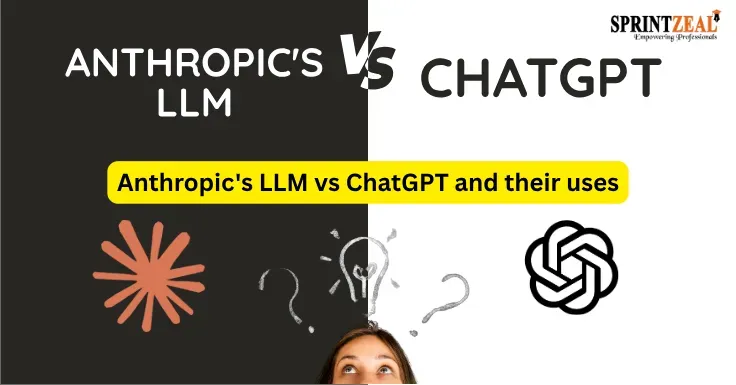
Claude AI vs ChatGPT
Both Claude AI and ChatGPT are well-established AI chatbots ruling the marketplace. The primary differences that set them apart are tone, voice, and the manner in which they deliver their content, features, and design approach. Anthropic's invention, Claude, offers responses that sound more like a human has written them, natural and thoughtful.
On the other hand, OpenAI’s ChatGPT has built-in image generation features, real-time conversational mode, and various plugins or integrations for tasks such as web browsing and code execution, all under one roof.
Let’s see how both chatbots handle the real-world problems
Writing code correctly, handling large codebases, and understanding large context at once, Claude AI is the better choice than ChatGPT for all these. Hence, for coding, I always prefer Claude AI.
Claude maintains the tone, style, and manner of its answers/responses in a way that isn’t unnecessarily overwhelmed by complexity and feels more like a human being has written it. It does not lean on heavy bullet points and does not phrase itself like an AI as its usual writing style. On the other hand, ChatGPT tends to keep the data structured, adding bullet points, tables, and headings. Although the response is well organized from top to bottom, the phrasing could sound a bit robotic, taking away the natural essence of writing.
Claude AI is capable of handling high-volume prompts in one go, as it has a big context window. If you upload the whole book, research papers, or codebases, it can read everything without losing track. However, this AI cannot generate images independently. On the flip side, ChatGPT has built-in features such as DALL-E for creating images; it also has other advanced tools for daily use. It consists of an advanced voice mode for real conversations and flexible multi-tool integrations.
Anthropic trains Claude to maintain good behaviour by providing a rulebook that consists of all the principles. Therefore, it doesn’t blindly follow your instructions; sometimes it disagrees with you if it’s unsure about something rather than pretending to be certain. In contrast, ChatGPT was invented by OpenAI using reinforcement learning from human feedback (RLHF). It is trained to be obedient; that is why ChatGPT does things as it has been asked to do; it follows instructions exactly without questioning your request.
Claude AI vs ChatGPT Comparison Table
|
Feature |
Claude AI |
ChatGPT |
|
Their Most powerful Model |
Claude Fable 5 & Claude Mythos 5 |
GPT-5 / o-series |
|
Paid Plan pricing |
$20 / month (Claude Pro) |
$20 / month (ChatGPT Plus) |
|
Context Window (paid) |
Up to 200K+ tokens (1M via API) |
128K tokens |
|
Multimodality |
It can understand text & images |
It can understand text, images, voice, and videos |
|
Image Generation |
N/A |
Yes, it can create images with DALL·E |
|
Video Generation |
N/A |
Yes it can create videos with Sora |
|
Writing style |
Natural, human-like, professional |
Versatile, conversational, adaptable |
|
Coding & Development |
Great for coding (incudes terminal agent tools) |
It is also good for coding (includes advanced Data analysis) |
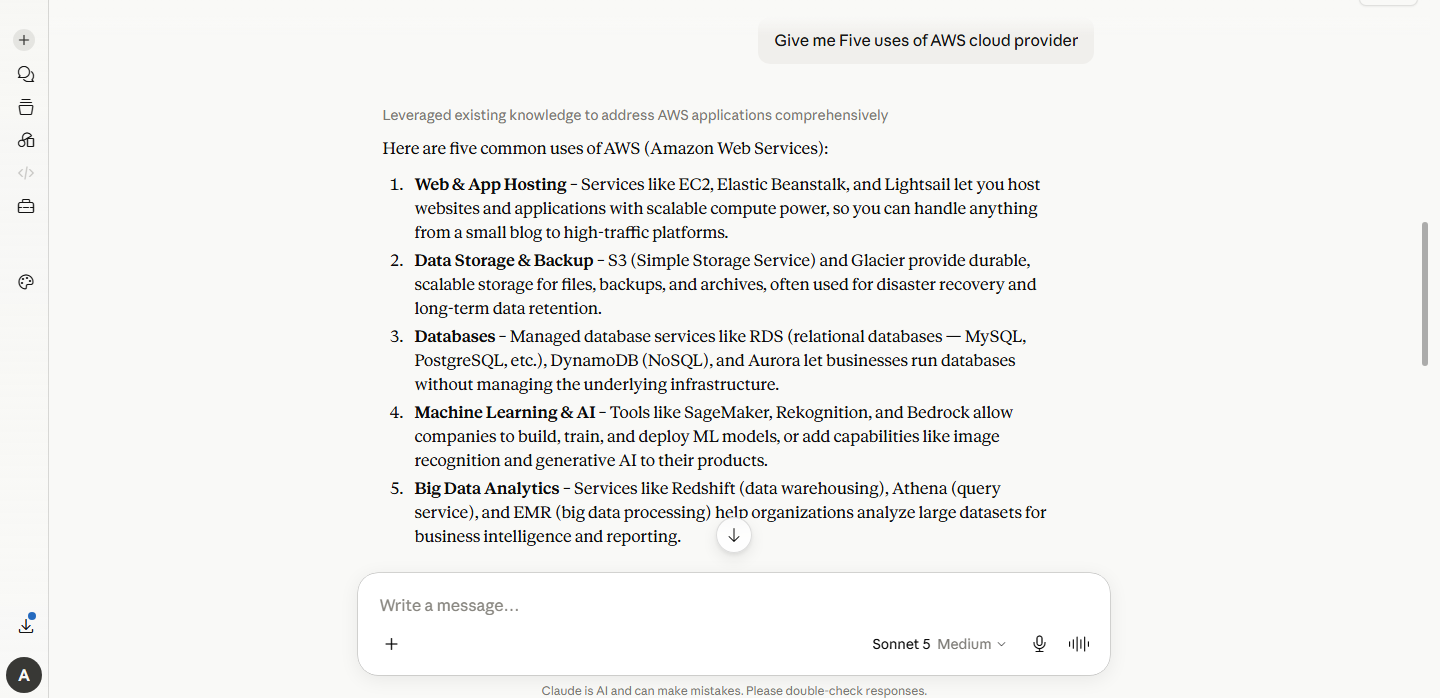
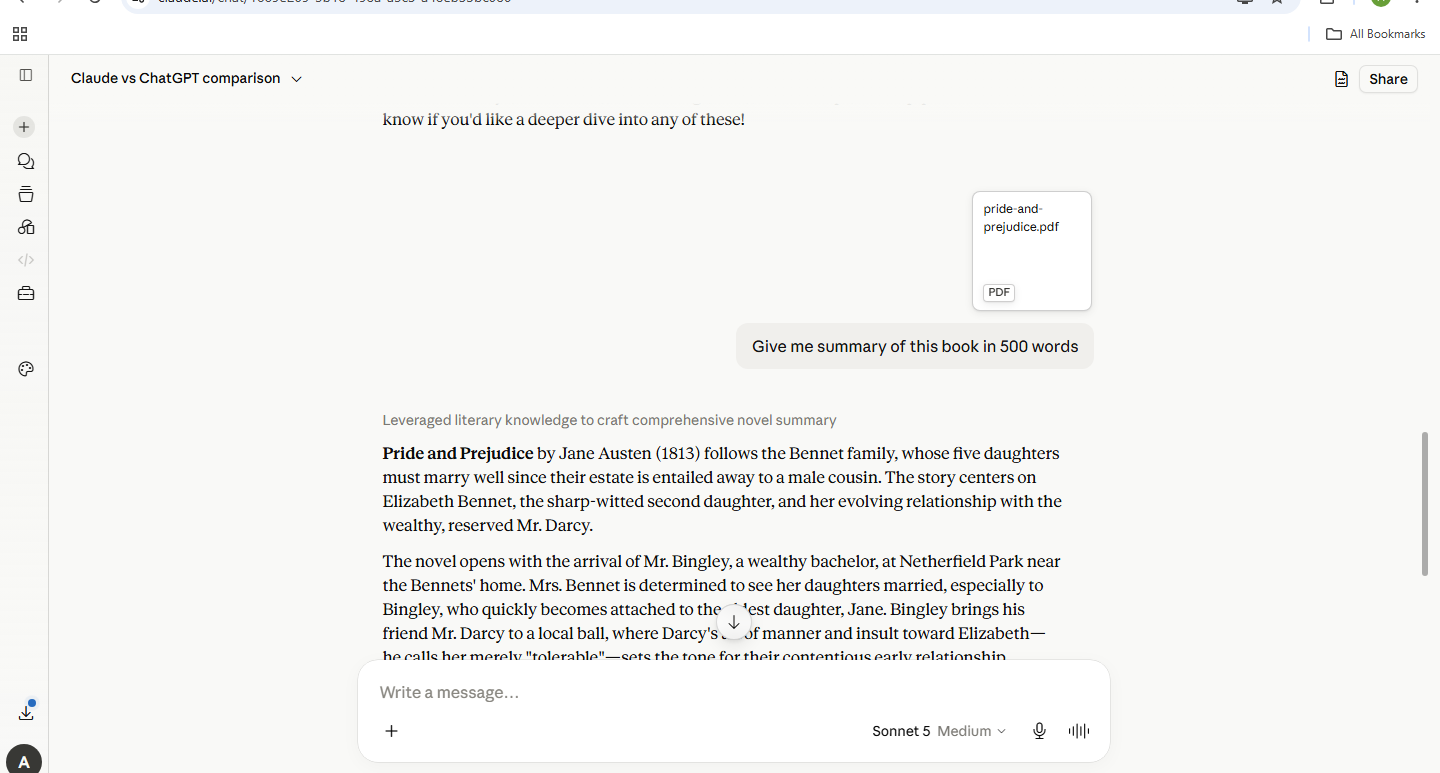
The first step to making use of AI Claude is to sign up at claude.ai. Once it’s done, type your queries and start the conversation with the chatbot. Moreover, uploading images, documents, or books for it to analyze can also be done.
Getting Started
Interacting with Claude
Example: Giving a simple prompt and geeting answers
Example: Uploading and pdf, giving prompt and getting a response
Advanced Features
Claude AI can handle all under one roof, from writing to editing, examining documents, and generating code.
1. Writing and Content Creation
Write articles, marketing copy, and professional emails. In addition, Claude also corrects the grammar, improves the tone and give clarity to the text that is already written.
2. Document & Data Processing
Claude can take several scattered notes from different meetings, as well as dense texts or research papers, and convert them into concise summaries.Claude can combine regional CSV files, clean up inconsistent data, and fix formulas, done directly through data connectors.
3. Legal & Compliance
Claude AI can review policy drafts, check legal language, and verify assets follow internal guidelines.
4. Coding & Technical Flows
The AI can find out the actual root cause causing errors in code or system logs and also explain the fixes in simple language. It can also compile API logs, write README files, and map out how older codebases are structured. In addition, Check dashboards or terminal output and suggest the exact command-line fixes.
Autonomous Agents and Long-Horizon Workflow
Ecosystem and Enterprise Integration
Various benefits of Claude AI set it apart from ChatGPT, from writing more human-like content to having the Artifacts feature, having a massive context window, and following a set of rules to not put out any information without checking facts or blindly following human instructions. For a student, Tech guy, researcher, content creator, and business professional, understanding Claude AI and how it works can make things easier. You can refer to courses provided by our company, Sprintzeal to learn more about AI:
AI and Machine Learning
1. Claude AI vs ChatGPT, which is better?
Both Claude AI and ChatGPT are well-established AI chatbots ruling the marketplace. The primary differences that set them apart are tone, voice, and the manner in which they deliver their content, features, and design approach. Anthropic's invention, Claude, offers responses that sound more like a human has written them, natural and thoughtful.
2. Is Claude AI free?
You can use it for free or take a subscription of $20 per month (pro subscription) for a high usage limit and advanced tools.
3. Is Claude AI capable enough to hear your voice?
Yes, Claude is capable of hearing your voice. Voice mode or dictation can be used in mobiles, desktops, as well as the web.
4. Is Claude AI safe to use?
Yes it is safe to use. Anthropic trains Claude to maintain good behaviour by providing a rulebook that consists of all the principles. The Claude AI uses these principles to provide an unbiased response. Therefore, it doesn’t blindly follow your instructions; sometimes it disagrees with you if it’s unsure about something rather than pretending to be certain. Moreover, the AI tool can also correct its own answers.
5. Is Claude AI better than Gemini?
Choosing between the AI chatbots comes down to a question of what it is used for. While Claude creates content that sounds more like a human has written it, Gemini has an edge in real-time web searching, directly processing and understanding video and audio content, and integrating with Google tools and services (Gmail, Google Drive, YouTube, and Google Docs).

Tue, 27 October 2026
Tue, 27 October 2026

Fri, 23 October 2026
Tue, 13 October 2026
Fri, 09 October 2026

Mon, 28 September 2026

Tue, 22 September 2026
Tue, 08 September 2026

Mon, 24 August 2026
Wed, 19 August 2026

© 2026 Sprintzeal Americas Inc. - All Rights Reserved.

 USA : +1315-322-7821
 UK : +44 7700 174870
 IND : +919036108287
 AUS : +61 480 005 455