7 Network Monitoring Strategies to Improve Performance and Security
Wed, 18 November 2026
Inspirational journeys
Follow the stories of academics and their research expeditions
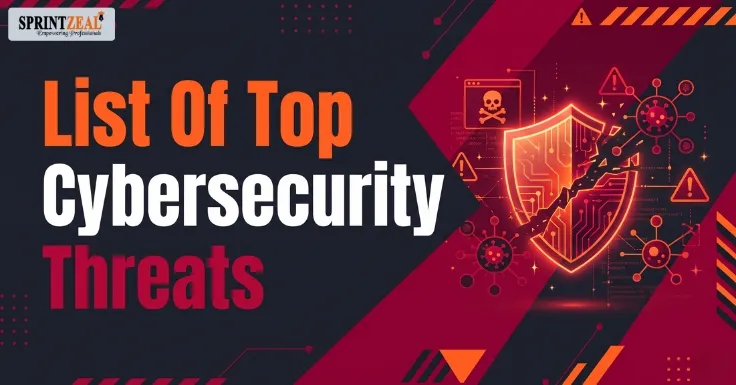
Today, the internet is used for everything, from simple tasks like banking and shopping to work and business. This is a very positive side of it, but it also comes with a negative side, where Hackers are finding ways to break in. In 2027, it will become very easy and quick for cyberattacks to happen, and at the same time it will be difficult to spot them.
A cybersecurity threat is anything that can destroy or harm your data, device, or online accounts. This can be done by fake emails that steal your password without your knowledge, viruses that corrupt files, and scams or calls that fool people into sending money.
Cybersecurity threats have been a problem for a very long time, but what makes it even more scary now is that the hackers have started using AI to do these, so few tasks that used to take many days to complete are now done within minutes.
This blog tells us the 15 biggest cybersecurity threats in 2027 and also explains how they can affect a business and which industry faces the most risk and what the steps are to stay safe.

Have you noticed that at times you receive mail or a message that looks a little shady, but you still tend to ignore it, which later turns out to be a trap that tricks you into sharing your passwords or money? Now this has become way scarier with the use of AI; the message looks perfect with no errors, and you easily believe it. To stay safe from these kinds of scams, it is important for you to use security keys or passkeys instead of passwords and make sure not to click a link that you were not expecting.
It is the AI that can do tasks on its own, so hackers use it to understand a system and find the weak spots and steal data where there is no human effort needed. To make sure this does not happen, use security tools , which detect and block threats like these.
This is where the hacker locks your file and asks for money, and at times they also steal data and threaten to leak it. The worst part is that there is no guarantee that your files are safe even after paying them. To avoid this, make sure to have offline backups of your information.
This is where the hacker makes a call to you asking for a payment to be made immediately. What makes this believable is that they use a voice you are very familiar with, for example, your manager's voice. To stay out of traps like this, always make a call to confirm the payment to a number that you know.
A lot of hackers use a fake username and password that is stolen. They also use malware that saves information about saved logins and sessions. To make sure this doesn't happen, use scam-resistant multi-factor authentication and log out of sessions that are no longer in use.
Sometimes the hacker does not attack you directly; they target the software of the vendor you trust. Once they get information from there, they can track down plenty of other information. To make sure this does not happen, make it a point to check the vendor’s security and update software only from trusted sources.
This is where an employee copies and pastes confidential information of a company into an unapproved AI tool, which can lead to misuse of information. To make sure this does not happen, set a clear AI use policy and give AI tools that are approved.
AI tools can have hidden instructions that can trick us and get our data, which could later be leaked. For this not to happen, make sure to restrict access and require human approval for certain information.
Simple mistakes can lead to data leaks, mistakes like leaving cloud storage open for the public to view or using weak access keys. To make sure this does not happen, check cloud settings and use tools that check risky activities.
A zero-day is a software mistake that nobody has fixed. Hackers also attack known flaws on systems that were never updated, and they act faster than ever. How to stay safe: Install updates quickly, starting with the most critical systems.
At times, there is a chance that employees or contractors can leak data by mistake or intentionally. To make sure this does not happen, give minimal and necessary access, not access to everything.
It has gadgets like cameras and sensors, which are a major part of factories, power plants, and hospitals, which are old and easy to attack, to make sure this doesn't happen while keeping these devices on separate networks.
The quantum computers that will be a part of the future may be able to break today’s encryption. Hackers are hacking and stealing encrypted data, which will be a problem in the future.
There are times when the government supports and funds hackers who target banks, defense, and companies, and so on, for their benefit.
Fake text messages and QR codes are a major threat; the small screen makes it harder to figure out these scams. Make sure not to scan unknown QR codes and do not open links that look shady.

A cybersecurity threat or attack is not just about affecting a computer; it also affects a business, slows down its process, leads to a lot of money and time being wasted, and at times can also lead to trust being lost.
The very first impact of a cyberattack is the loss of money and time. When a system is hacked, work stops, no matter what industry it is; it affects the work process. A shop cannot take orders, hospitals cannot look into patient records, and so on. Due to this, a business loses money for every hour they are offline; not just this, the company will also have to pay for the repair of this.
After that are the legal issues , if there is any data stolen from a customer's data, then the company has to face the consequences and pay the fine under data protection laws and a legal action can also be taken by the customer. Even a small leak can result in huge issues.
Another major issue to be repaired is reputation. People share their information out of trust; once there is a leak of information, a company loses its reputation, and customers may stop buying, and partners might end contracts. To rebuild trust back is a huge task, which is more difficult than fixing technical issues.
No single tool can stop every attack. A few smart habits can block most of them. The good news is that these steps work for individuals, small businesses, and large companies alike. I have seen this approach keep people safe.
Start with your logins because stolen passwords are behind attacks. Use a password manager so every account has a unique password and activate multi‑factor authentication wherever it is available. Whenever possible, choose passkeys or security keys because they cannot be fooled by login pages the same way that passwords and text‑message codes can. Businesses should also give each employee the access they need for their job and remove that access when they change roles or leave.
Next, make sure your software is always up to date. Many attacks take advantage of problems that already have a fix. People don’t apply for it. Enable updates for phones, computers, and apps. Start with the important business systems. The same advice applies to cloud settings. Check them often so nothing is left open to the public by accident.
Backups are the safety net when ransomware happens. Keep copies of files stored offline or in a place that attackers can’t access. Test the backups now and then. A backup that you never tried to use might not work when you really need it.
People are a part of the defense. Hackers try to trick employees, so regular training is important. Teach your team to stop and think before clicking on links. Only scan QR codes from trusted sources. Always double-check any payment request by calling on a number you know. This is especially important now because AI can copy voices and faces. It also helps to have a rule for AI tools. Let staff know which ones are allowed and what information should never go into them.
Finally get ready, for when something goes wrong. Write a plan that says who to call, which systems to turn off, and how to tell customers. Practice the plan once or twice a year. Using tools that spot activity and react automatically can also help stop an attack faster.
Small businesses can start with three steps: factor authentication, automatic updates, and tested backups. Larger companies should add Zero Trust. That means never trusting a user or a device automatically. Every request needs to be checked. Also add monitoring and regular checks of vendor security.
It is not needed to change passwords every time; just have a strong password and a different password for every account.
It is not really safe to use Wi-Fi; people using the same Wi-Fi can at times get access to your data.
A virus is something that spreads and damages your data, and ransomware is something that locks your files and asks you to pay to unlock them.
It is not really needed if you get apps for stores and update them regularly. The bigger problem is shady links and unsafe apps.
Cybersecurity threats in 2027 will be faster and more dangerous. With the use of AI the work of the hacker becomes even more easier . The best part is you do not need advanced tools to avoid or stop this , all that you need is to be conscious about small steps like , strong passwords, multi factor authentications , checking your websites regularly and having backups. You can also use AI driven defence mechanisms.
Cybersecurity is not a one-time activity, so keep learning how to protect your data, keep making the changes needed, and stay alert.

Wed, 18 November 2026
Wed, 18 November 2026
Fri, 06 November 2026
Thu, 08 October 2026

Mon, 29 June 2026
Wed, 29 April 2026
Tue, 03 December 2024

© 2026 Sprintzeal Americas Inc. - All Rights Reserved.


 USA : +1315-322-7821
 UK : +44 7700 174870
 IND : +919036108287
 AUS : +61 480 005 455