Excel vs Power BI: Which Is Better?
Thu, 16 July 2026

Inspirational journeys
Follow the stories of academics and their research expeditions
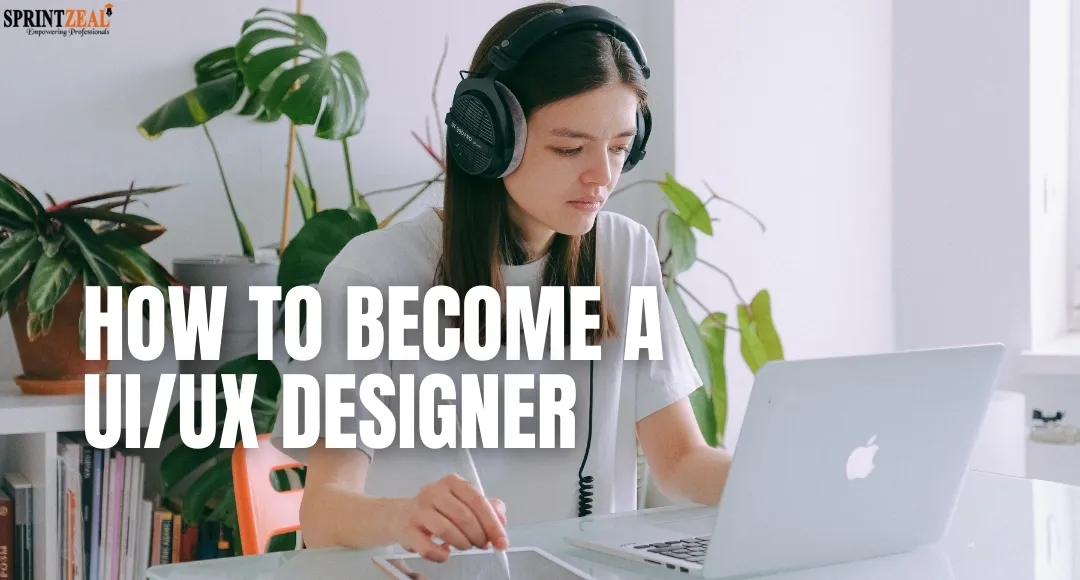
In the digital age, the function of a contemporary UI UX Designer is a crucial one, blending beauty with practical use to facilitate valuable user interactions. A career in design is covered in depth in this guide, which serves as a complete directional map for beginners who want to learn the essential theories of UI/UX design and establish a career with them. Learn how web developer certifications can complement your design journey.
The emphasis on one of the two design branches, i.e., doing the visual part and making a UI for a software product that is easy to use and intuitive, is what the first part of the text deals with.
The field of user experience design offers creative and technical challenges, or opportunities, to the fan of the technology and human-centered problem-solving whose passion is these two phenomena, a genius combination of both. This program is one amongst the high-income skills that are in demand for 2026.
A UI/UX Designer is one who merges the two closely related yet different fields of User Experience (UX) and User Interface (UI) design.
UX design is about the product or service features that extend beyond the mere usability and accessibility and impart to the user a feeling of satisfaction and delight. It entails research and concentrates on the perception of the product flow, consistency, and problem-solving capability.
UI design, however, is about the product or service and the arrangement of its components. It describes the methods in which users can use the visual components of a product, including buttons, colors, icons, and typography.
In simple terms, UX is the mechanism of where the user will go and how, when, and why logic has 'constructed' the solution, while the UI is the design and user-interaction features that enable it. A great UI/UX designer is one who combines both the skills, thus allowing for the creation of products that not only work but also are easy to use and pleasing to the eye.
While UI/UX designers rely on each other, they will operate differently in a successful digital product.
The work is initiated through research and strategy—the determination of user needs, development of the architecture of the informational structure, and production of wireframes. UX designers are interested in the reasons and manners whereby users interact with a product, and only then do they make sure that real problems are solved and long-term value is delivered.
After establishing user flow and structure, the responsibility of UI design is to transform them into refined, visual interfaces. UI implements the changes in color, typography, hierarchy, and brand to create not only a visually appealing experience for the user, but also a usable one.
UX shapes the experience users perceive, while UI provides the interaction. Together, they result in an overall design that is fluid, user-centered, usable, and aesthetically pleasing.
A combined UI/UX designer role is a common step, especially at smaller companies. However, by breaking down the different duties associated with each title, we can see clearly how each title is contributing to the product development process. A very important aspect of user experience design jobs is that these distinctions account for the deep specialization that the field offers.
The main points of the core ui designer job description emphasize the aesthetics and the interaction of the end product. The principal aim of the team member is to construct a visually consistent and beautiful interface that is understandable at first sight without the need for navigation. Some of the key activities are the creation of high-fidelity mockups and prototypes; the implementation and contribution of a visual style guide (for example, typography, color palettes, and iconography); the determination of the look and the functioning of the interaction elements (for example, buttons, widgets, and menus); the production of the animations; and the giving of the assurance that the design is responsive to the different screen sizes. They convert the conceptual user flow into the final, gorgeous digital product.
The focus of the ux designer job description is research and validation aimed at making the product useful and intuitive. They promote the needs of users, focus on resolving issues, and ultimately improve the user experience. Their work consists of designing and conducting user research (interviews, surveys, and usability testing), creating user personas and customer journey maps, generating an information architecture (sitemaps, user flows), developing low-fidelity wireframes, and conducting user testing for iteration and A/B testing. Simply put, they determine the product’s function and rationale.
A majority of the ui ux designer jobs call for a hybrid professional who is capable of managing the strategic research aspect of user experience design as well as the visual execution of UI. The job of a generalist is important because they can sustain design integrity across the lifecycle from problem seeking to providing developers high-fidelity, polished prototypes that will work. Besides, a large part of that work will be done to require interaction skills and the capacity to change more analytical work to the creative one and similarly.
A combination of the applicant's professional knowledge and personal qualities is what a successful performer in the tough position of a UI/UX designer needs.
The industry is largely dependent on a handful of design and ux tools software that bring together vector graphics, prototyping, and collaboration features:
To have a better understanding of these coding concepts, check out their blog on Essential jQuery Interview Questions. It covers key concepts in front-end development, which ties into full-code practices and may be helpful if you're exploring the broader landscape of coding approaches.
The UX design process is usually represented by the Double Diamond model, which embodies the process of going from problem identification to delivering a user-centered product through research, design, and iteration.
The designer looks at the user, market, and main problem by doing user research, stakeholder interviews, and studying the competitive landscape. These insights culminate in the formation of personas and journey maps, which demonstrate user needs and the best understanding of the problem being solved.
Having a well-defined problem statement with a full team creates wireframes as a structure and functionality design planning tool. They will coalesce into high-fidelity prototypes in interactive models that resemble the finished product, linking together the UX and UI design struggle before the development stage.
The prototype is tested by real users to find usability issues and to confirm the design choices made. The feedback is used for the product iteration, which continuously evolves to provide a better user experience even after release.
There is not a single way to be a UI/UX designer. The area is more of a portfolio- and skill-demonstration kind of field, but formal education can still help you build your knowledge in a more organized way.
A typical university education offers a wide-angle view of the theory and methodology. The best ui ux designer degree programs are usually found under these faculties:
Short, intensive training programs like these are very effective and are good options for individuals who are entering the field or who want to accelerate their learning:
When it comes to finding the means of learning about UI/UX design, you would have a number of options to choose between, such as the traditional way of getting a degree in design or completing an online course or a boot camp. The process of user-centered design, wireframing, prototyping and usability testing first. Being able to use Figma, Adobe XD, or Sketch is going to be significant. You will be on a new level once you learn how to work with personas of developers. Additionally, knowing how to code can directly translate to better design thinking and process. To see which programming languages are most beneficial for future designers and developers, check our blog 5 Programming Languages That You Should Learn
It is impossible to point out only one way in terms of a UI UX designer path. The most valued aspect of the field is the portfolio and demonstrable skills, so the number of academic credentials is a less important factor. Nevertheless, formal training may help to acquire a solid foundation.
By going through traditional university education, a person gains a thorough theoretical and methodological understanding. Which degree program is the best for a UX designer? They usually come from these areas:
What are these intense training programs and easily available options good for? They have become the best ui ux designer course choices for people willing to get a career change or quickly master a subject:
Those top UI/UX bootcamps and online courses in 2026, which offer immersive, job-ready design training, are basically the quickest and most effective way for individuals to speed up their design careers. You'll find that many of the skills, particularly in real-world projects, come in the form of hands-on training offered by General Assembly, CareerFoundry, Springboard, and Designlab, and usually include job-hunting assistance.
Bootcamps are not just for beginners or someone new to design but also for professionals looking for a career change or desiring to enhance skills. Several bootcamps also have developers as the primary collaborator partner, so it can be beneficial just to be familiar with some of the coding basics. In case you are getting ready for a technical interview and would like to achieve more confidence through coding, have a look at the guide to coding interview questions.
The path to becoming a UI UX Designer varies a lot. Even though a portfolio is the most important thing, getting properly educated through online certifications, courses, and bootcamps is the quickest way to get the required skills.
Those aiming at getting a sound theoretical and research-based background of the field may consider a degree in UX Design, which keeps on being a significant leverage especially for senior or research-focused roles. Some of the top degree programs are Human-Computer Interaction (HCI), Graphic Design, and Cognitive Psychology.
The UI/UX design career path is full of opportunities and has a nice growth trajectory with the option to work in different fields. Most of the time, designers are promoted from Junior Designers who are mostly focused on learning and doing the execution work to Mid-Level positions where they are given the responsibility to manage features independently. Afterward, Senior Designers take on the roles of project management and mentoring the team, and then they can choose to develop further as a UX Researcher, Product Designer, or even take up leadership positions such as UX Manager or Director of Design. Depending on the specific level, an entry-level role generally pays between 60k and 80k dollars, while a senior-level position can generally pay upward of more than 150k dollars—a considerably higher salary for entry-level in comparison to other fields of study. Among these roles you generally will find tech, finance, and healthcare sectors.
A career path in UI/UX design has a multitude of potential ways through different sectors. Whether you want to work for a tech startup, a design agency, a large company, or even as a freelancer— your options are endless. Designers have the opportunity to focus in the areas of user research, interaction design, visual design, or even shift roles to focus on product or front-end development. Since the digital experience continues to evolve and become a popular and effective business approach, the horizons are bright for UI/UX design. As the demand for design and technical talent continues to increase, it is always helpful to know some basic web technologies such as HTML, as this is particularly important to bridge design and development. In addition, for a better exploration of HTML, including fundamentals and interviews, check out the blog on HTML interview questions.
A convincing portfolio is the most vital part of a UI/UX designer's work, which is why you really want to only showcase 1 or 2 case studies that you did really well, from start (initial research) to finish (final testing). They have to show how they solved the problems and what effects their work had, and they have to exhibit their pieces visually accessible on Behance or Dribbble.
Design is to be revolutionized by AI and automation. The upcoming UX experts will have to shift their focus from the standard screens toward the strategic design thinking, ethical issues, and human–AI interaction systems, which ultimately underline the concept of the designer as a creative problem-solver.
An aspiring designer may freely learn UI/UX by taking part in the open courses held by universities, watching the tutorial videos on YouTube, reading blogs, or participating in communities or bootcamps. All of these sources are available anytime and anywhere and hence provide continuous skill growth no matter what your financial situation is.
|
Design & Prototyping |
Figma (industry standard for collaboration) |
|
User Testing |
UserTesting, Maze |
|
Documentation |
Notion and Confluence for design systems & handoffs |
As a matter of fact, the success of the design does not depend on the instruments being used but rather on the designer's strategic thinking, research skills, and empathy for the user, which form the real base of great UX design.
Media and Entertainment: The UX designs that are extensively used in streaming interfaces, gaming platforms, and interactive content delivery systems.
As a UI/UX designer, you can set your sails to big wins that combine creative and social-oriented problem-solving skills. The area has lots of opportunities, as the users are the rights holders, and designers become their lawyers by delivering the digital products to which users are getting addicted, be it a mobile app or any enterprise software. Besides, the role offers a good financial upward trend as indicated by the senior-level salaries and a huge career flexibility across different sectors.
Always being on the cutting edge, a designer is compelled to make learning continuous and never negotiable. They should always upgrade their toolkit, get the gist of the newest technologies like AI, and hone their strategic thinking more and more. If you want to get started or add a formal touch to your skill, then taking the recommended courses and getting certifications is the best thing to do.
Sprintzeal offers fantastic opportunities to help you grow, such as their Java Certification Training Course. Not only will their course help you get your learning organized, but it also gives you the credentials that validate your knowledge and skills in this exciting and
growing field. One more excellent choice is the Full Stack Developer Master Program. It is an ideal product for a UI/UX designer wanting to lengthen their scientific domain knowledge and be able to understand not only the big picture but also the entire lifecycle of web development.
By completing this course, you will be equipped with the needed technical knowledge of the front-end and also have some back-end skills, thereby relishing the status of a designer who is more creative and capable of interaction when harmonizing teamwork with other departments. Reach out to us today!
UX is the experience, and UI is the look. UX focuses on how easily a user can navigate your product from point A to point B. UI is the attractive and user-friendly way of that navigation.
Working with Figma is my main mode—it's really perfect for teamwork. Nevertheless, if the work requires it, I can also use Sketch, Adobe XD, or simply pen and paper for my fresh thoughts.
By conversation! Interviewing users, sending out questionnaires and carrying out usability tests are in my opinion, the most valuable methods. Besides, I examine the data to find the places where users are getting in trouble or abandoning the process.
Wireframe is a comparison of a building layout that demonstrates the visuals of the application in terms of space and flow, leaving out the visuals. It allows everyone to support the idea of organization before we get into colors and fonts.
By the execution of the very first and frequent tests, I make sure. Also, with this principle, I also observe usability guidelines and make my job as easy as possible. If someone has to think about it too hard, then something is wrong.
Because no one can be excluded from a nice experience. It also implies designing for people who are visually, hearing-wise, or even mentally impaired—such as using good contrast, easily readable font and navigation that is friendly to keyboard.
My first action is to listen. Then I put real effort into comprehending the "why" of their feedback. If I still don't agree then, I will clarify my reasons and possibly decide on testing both to see which one is more effective.
One could say it is a style guide taken to another level—buttons, colors, typography, components, everything in one place. It lets everything stay consistent, and as your product develops, it saves a lot of time.
I check the practical real-life effects: Are users doing the tasks? Are they satisfied? Are conversions going up? Combining data with feedback tells the whole story.
Great adopters of trends nowadays are AI-powered personalization, extremely simple interface, and accessibility-first design. However, trends are temporary—good design always cares for users.

Thu, 16 July 2026
Fri, 31 January 2025

Tue, 18 February 2025

Thu, 24 April 2025

Fri, 30 May 2025

Wed, 28 May 2025

Fri, 23 May 2025

Wed, 18 June 2025

Fri, 18 July 2025
Wed, 30 July 2025


© 2026 Sprintzeal Americas Inc. - All Rights Reserved.

 USA : +1315-322-7821
 UK : +44 7700 174870
 IND : +919036108287
 AUS : +61 480 005 455